AI e24 Baltic — development and AI operations platform
Currently in development. AI e24 Baltic brings projects, servers, AI tasks and agents, browser QA, backups, security checks, and release controls into one operating panel.
 1 / 13
AI e24 Baltic is a unified workspace for the daily work behind web development and operations. It connects infrastructure visibility, structured AI task preparation, agent and skill governance, browser testing, backups, and security checks. The ai.e24baltic.lv and ai.hub.e24baltic.lv addresses identify the same platform, not separate products.
The task
The team needed a clear control centre for project and server health, controlled AI assignments, and verification before a change reaches production. Particular attention was given to permissions, 2FA, secret storage, the trust status of external skills, and sensitive actions that must remain under manual approval.
What was implemented
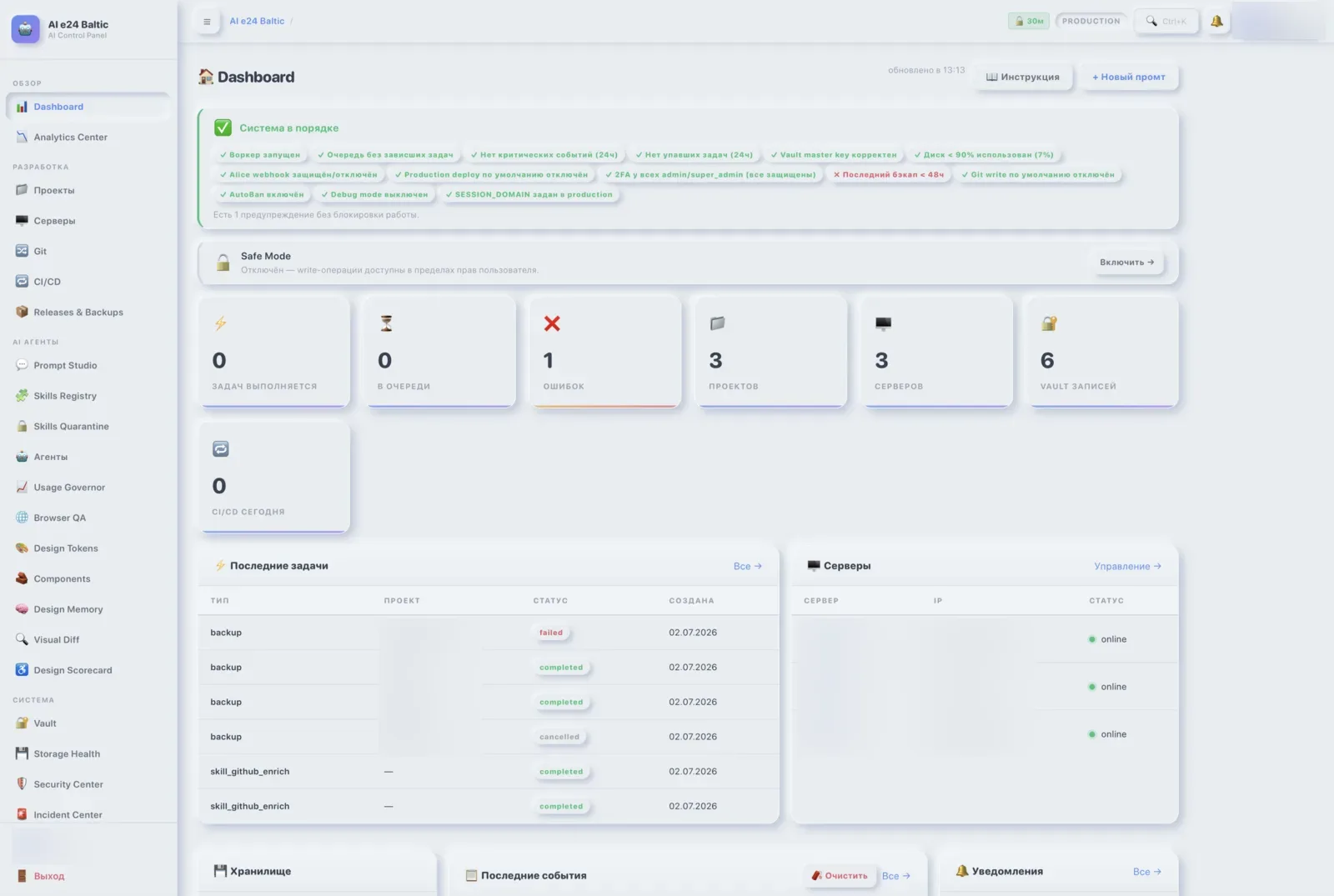
- A system dashboard for worker, queue, server, project, Vault, disk, webhook, and incident status.
- An AI Task Builder for selecting the project, task type, operating mode, provider, agent, skills, and attachments.
- Management of specialised AI agents for development, APIs, data, databases, DevOps, review, and documentation.
- A skills registry and quarantine where external extensions remain untrusted until they have been reviewed and approved.
- Playwright browser QA with final URL validation, screenshots, headless execution, and run history.
- A workflow for backups, checksums, release checklists, and deployments, supported by read-only storage health data.
- A security tools panel covering Secret Scan, PHP Lint, npm audit, GitLeaks, Semgrep, OSV, and Composer Audit.
Security and quality controls
Vault provides the place for sensitive values, while the task interface explicitly warns users not to place passwords, API keys, or other secrets in a prompt. High-risk operations are disabled by default or require a super administrator, 2FA, and manual approval. Design Tokens and Component Library sections support visual consistency, while the documentation centre keeps operating guidance close to the tools.
The result
Daily operations become visible in one interface: the team can assess system health, prepare an assignment, select the responsible agent, verify the result in a browser, and only then move it forward. This reduces tool switching and makes the security boundary clear at every stage.
The platform remains in active development: its core management, QA, and security modules are operational, while integrations and automation continue to evolve.